Clothing Swap · Garment Try-On
Image
What this prompt does
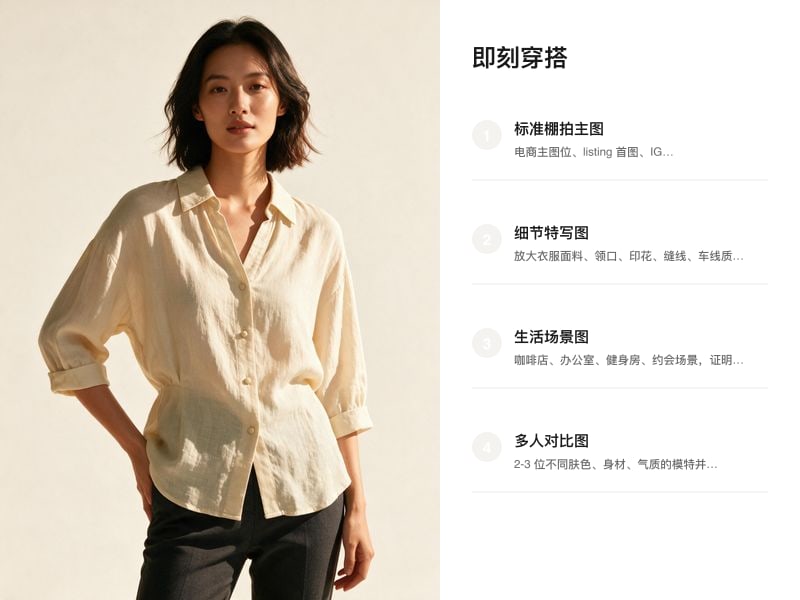
Produces one image: the garment on the canvas placed onto the model, with a realistic finish.
- Keep the garment's cut, color, pattern and details identical to the uploaded photo.
- Keep the model's pose natural.
- Match the lighting on the model to the lighting in the garment photo.
- Do not distort limbs.
- Drag the model photo and the garment photo onto the canvas and select both before sending.
- The garment from the canvas photo, worn on the model's body.
- The model in a natural pose.
- Lighting on the model consistent with the garment photo.
3:4 vertical frame, commercial photography finish, no text or watermarks.
Cost estimate
At Seedream 5's published rate of $0.068/image, one image is ≈ $0.07 (re-runs not included).
Rates are the Starter tier figures from the pricing page and vary slightly by tier; the credit prompt shown before each generation is authoritative.
FAQ
What do I need to upload?
Model photo · Garment photo. You can also generate first and swap your own material in afterwards.
Can I use the output commercially?
Yes. What you generate on Tovaki is yours to use commercially at no extra charge, subject to each model provider's content policy.
Can I switch models?
Yes. The template recommends Nano Banana 2, and once you are in the canvas every shot can be re-run on a different model.